PhyTA Client
The PhyTa client is the front layer of PhyTA.It is responsible for the tree visualization.
Visualizing formats and options:
To draw the trees we use phylocanvas which provide us a huge tree configuration and also several options to make available to the users.
Phyta provides two formats to present the trees:
- Dendrogram - To present the rooted trees:
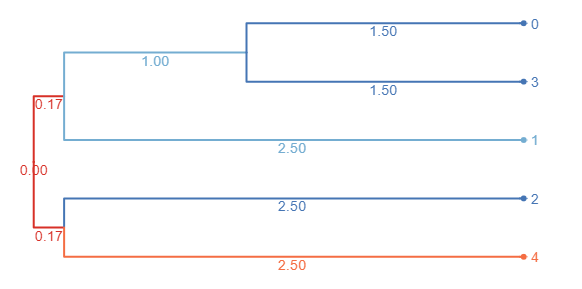 Figure 1.3 - Dendrogram tree representation.
- Radial - To present unrooted trees and Tree forests:
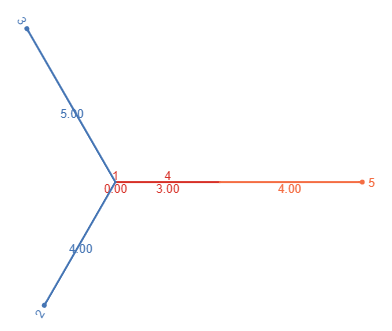
Figure 1.4 - Radial tree representation.
The Tree forest may contain several subtrees which would make visualizing the whole forest impossible.So we only present one subtree at a time and the user may choose which subtree he would like to see by using the selector.
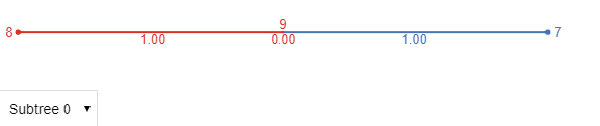
Figure 1.5 - Radial Forest tree representation.
There are also several options available for analyzing the trees.If the user clicks a tree inner node the next options are available:
- Collapse/Expand subtree - Collapses the subtree
- Rotate tree - Rotates the subtree
- Redraw subtree - Redraws the subtree starting at the clicked node
- Export subtree leaf labels - Exports the leaves of the subtree
- Export subtree as newick file - Exports the subtree in newick
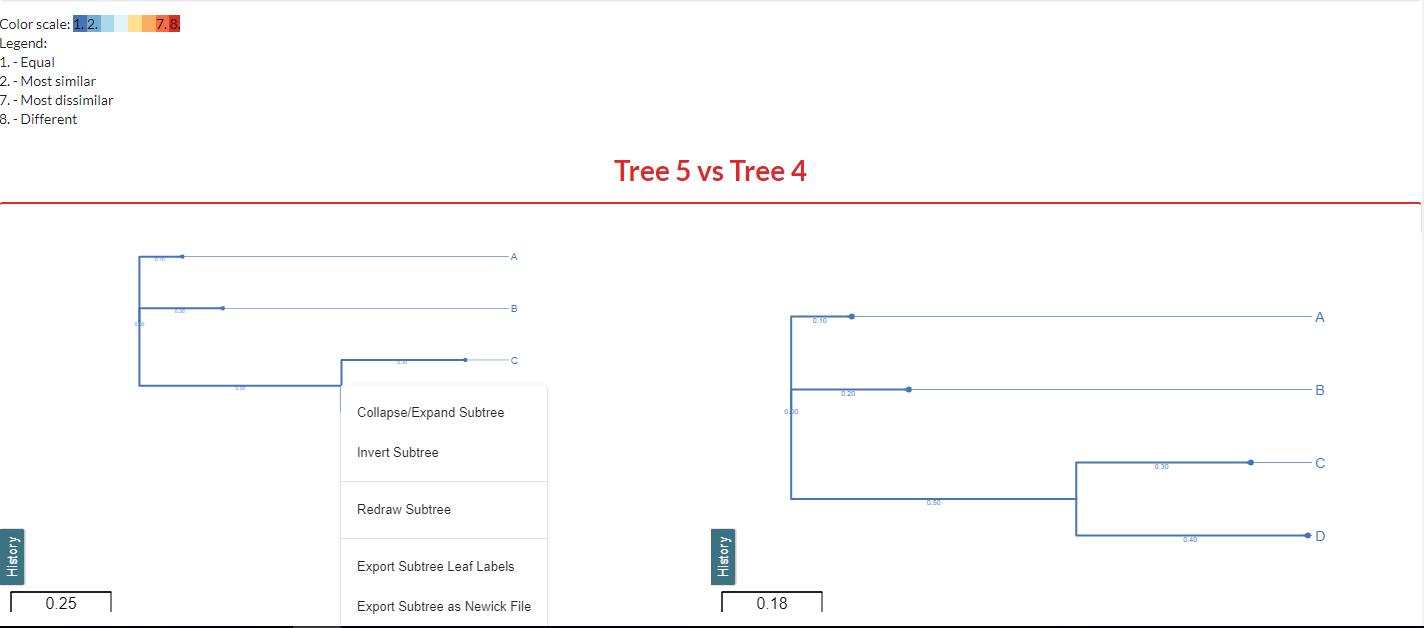
Figure 1.6 - Tree inner node options.
If the user right clicks anywhere besides the inner nodes the next options are available:
- Show/Hide labels - Shows or hides the labels
- Align/Realign labels - Aligns or realigns the labels with each other
- Fit in panel - Fits the tree in the available space
- Redraw original tree - Redraws the original tree
- Expand all - Expands all collapsed branches
- Export leaf labels - Exports all leaf labels
- Export as newick file - Exports the tree in newick
- Export as image - Exports the tree as an image
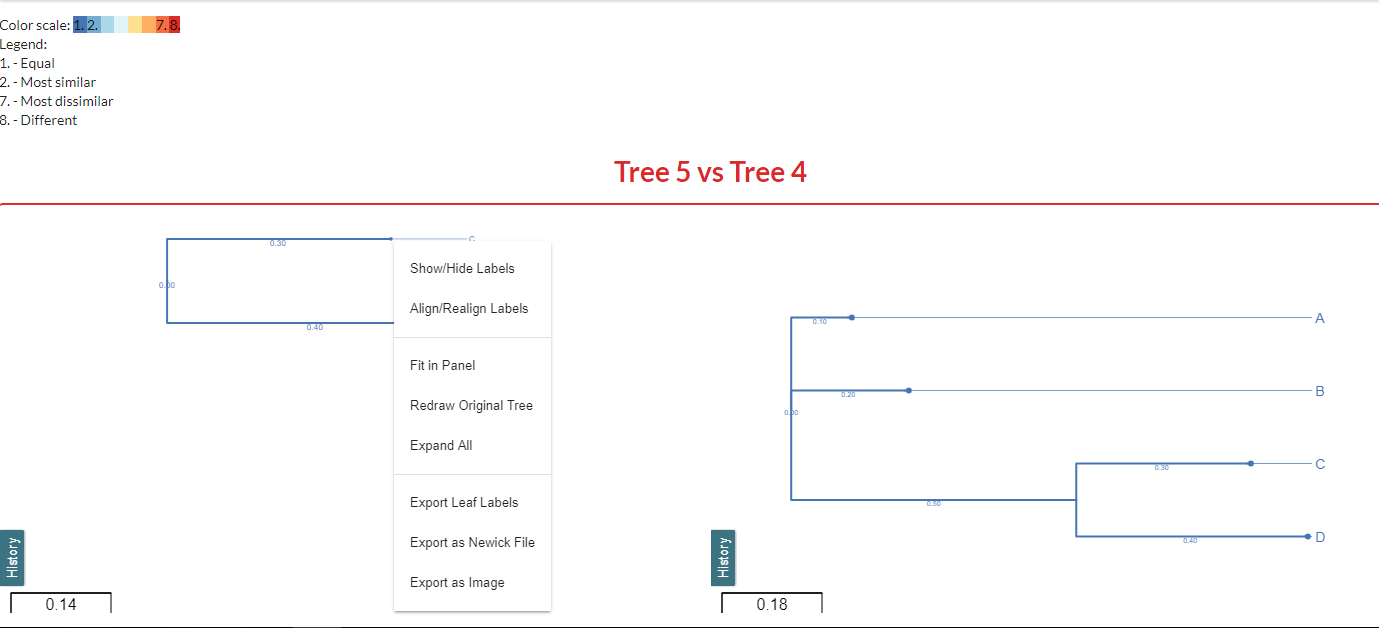
Figure 1.7 - Tree node options.